Documents
summaries, key points, outlines, possible dates and obligations, action items, and questions about the file. Works with PDF, Word (DOCX), PowerPoint (PPTX), text, and Markdown.
On-device AI for your files
Stop pasting private files into chatbots.
For macOS 26 and later on Macs with Apple Intelligence
Your files, read on your Mac.
Features
Hush Lens reads your files on your Mac with Apple Intelligence, then shows answers that point back to the page, slide, line, or row they came from. Nothing is uploaded.
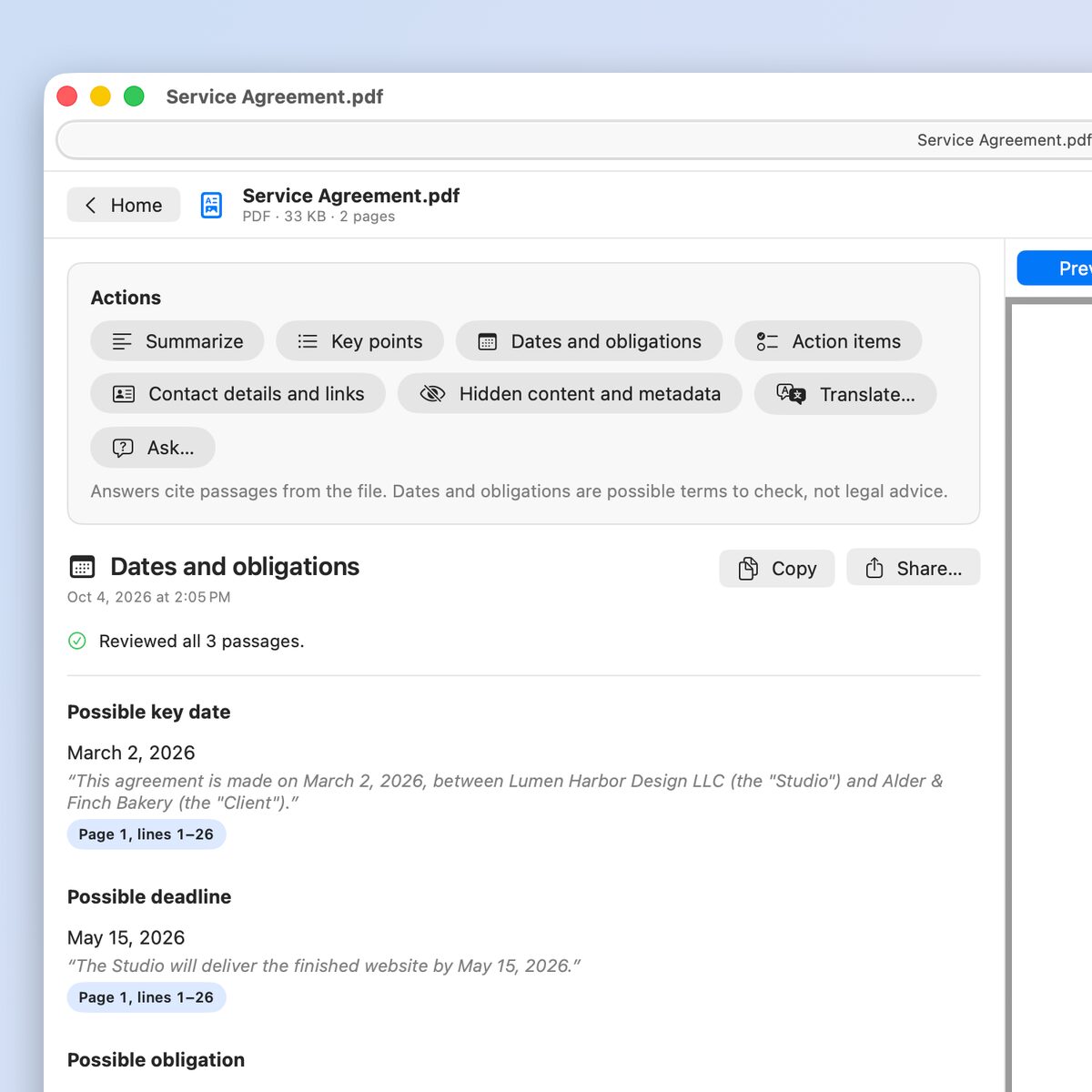
Drop in a file to see every action for its type:
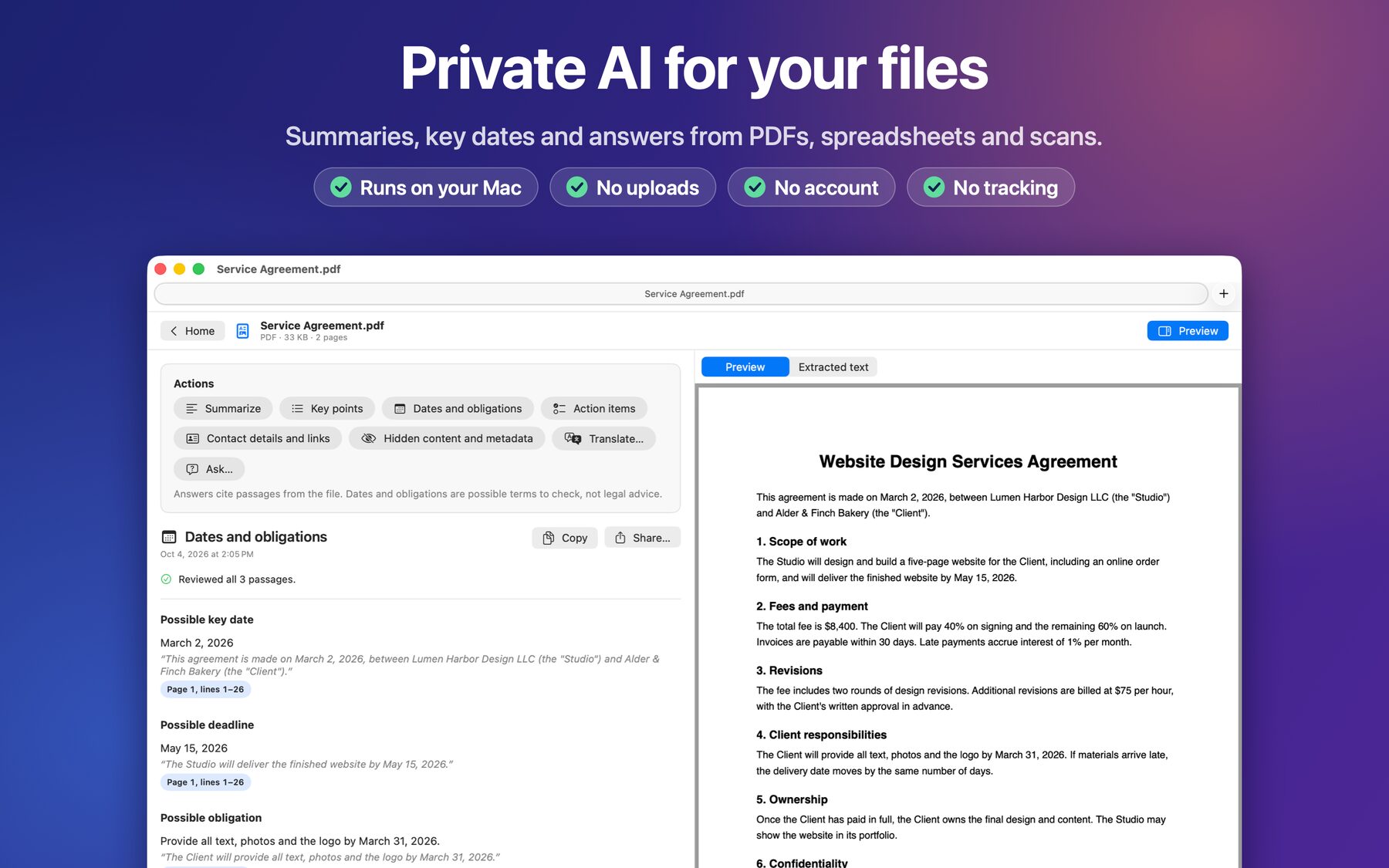
summaries, key points, outlines, possible dates and obligations, action items, and questions about the file. Works with PDF, Word (DOCX), PowerPoint (PPTX), text, and Markdown.
data overview, missing values, numeric summary, totals by group, outliers, duplicate rows, and a simple chart. Works with CSV, TSV, and Excel (XLSX).
extract text, read tables, read barcodes and QR codes, explain error messages, and view photo metadata.
explain, find the likely error, count log levels and repeated messages, and validate JSON with the line and column of any problem.
Possible dates and obligations are pointers for your own review, not legal advice.
A closer look
 Enlarge screenshot
ANSWERS YOU CAN CHECK
Every summary and answer cites the passages it used. Choose Show Source to jump to the page or line. If the model makes a statement it can't tie to your file, Hush Lens removes it and tells you. Whole-file actions read every page, and Hush Lens never presents a partial result as complete.
NUMBERS THAT ADD UP
Spreadsheet statistics are calculated exactly on your Mac, not estimated by a language model. Totals, averages, outliers, and duplicates list the rows they refer to. For Excel files, Hush Lens reads the values saved in each sheet, and you can choose which sheet to analyze.
SEE WHAT TRAVELS WITH A FILE
Before you send a document, check what a reader might not see: author and company names, comments, tracked changes, hidden text, speaker notes, hidden slides, and attached files. For photos, see the GPS location, camera, and date taken. Find every phone number, email address, postal address, and link, with each place it appears.
TRANSLATE ON DEVICE
Translate PDFs, text read from images, text files, and finished summaries with Apple's on-device translation. Each translated passage appears beside the original and keeps its page or line reference.
SAVE, SHARE, AND COME BACK
History keeps results on this Mac, so they reopen without running again. It stores the result and the passages it cites, never the file itself. You can turn History off or clear it at any time. Copy a result, save it as Markdown, or share it to Notes.
BUILT FOR THE MAC
Right-click a PDF, Word, PowerPoint, or Markdown file in Finder and choose Summarize with Hush Lens, or use its actions in Shortcuts and Spotlight. Open up to 20 files at once, each in its own tab. Hush Lens is a native macOS app with drag and drop, keyboard shortcuts, VoiceOver support, and light and dark appearances.
FREE TO TRY
Try every feature free for 14 days, then buy Hush Lens once to keep using it. There's no subscription, and nothing is charged when the trial ends. Results you saved stay in History either way.
Hush Lens requires macOS 26 or later and a Mac that supports Apple Intelligence, with Apple Intelligence turned on and its model downloaded.
PRIVATE BY DESIGN
Hush Lens has no account, no server, no analytics, and no network access. It reads your files on your Mac and never changes them. Once Apple Intelligence and any translation languages are downloaded, every feature works offline. When you share a result, you choose the app, and that app may sync it with its own account.

Summaries, answers, and checks you can verify, without uploading a single page.
Get on the Mac App StoreFor macOS 26 and later on Macs with Apple Intelligence